LiftMaster gate opener error codes: how to read them and what they mean
LiftMaster DC gate openers keep a history of up to 20 codes on a two-digit display. Reading them takes a minute and tells you, or your technician, exactly where to look.
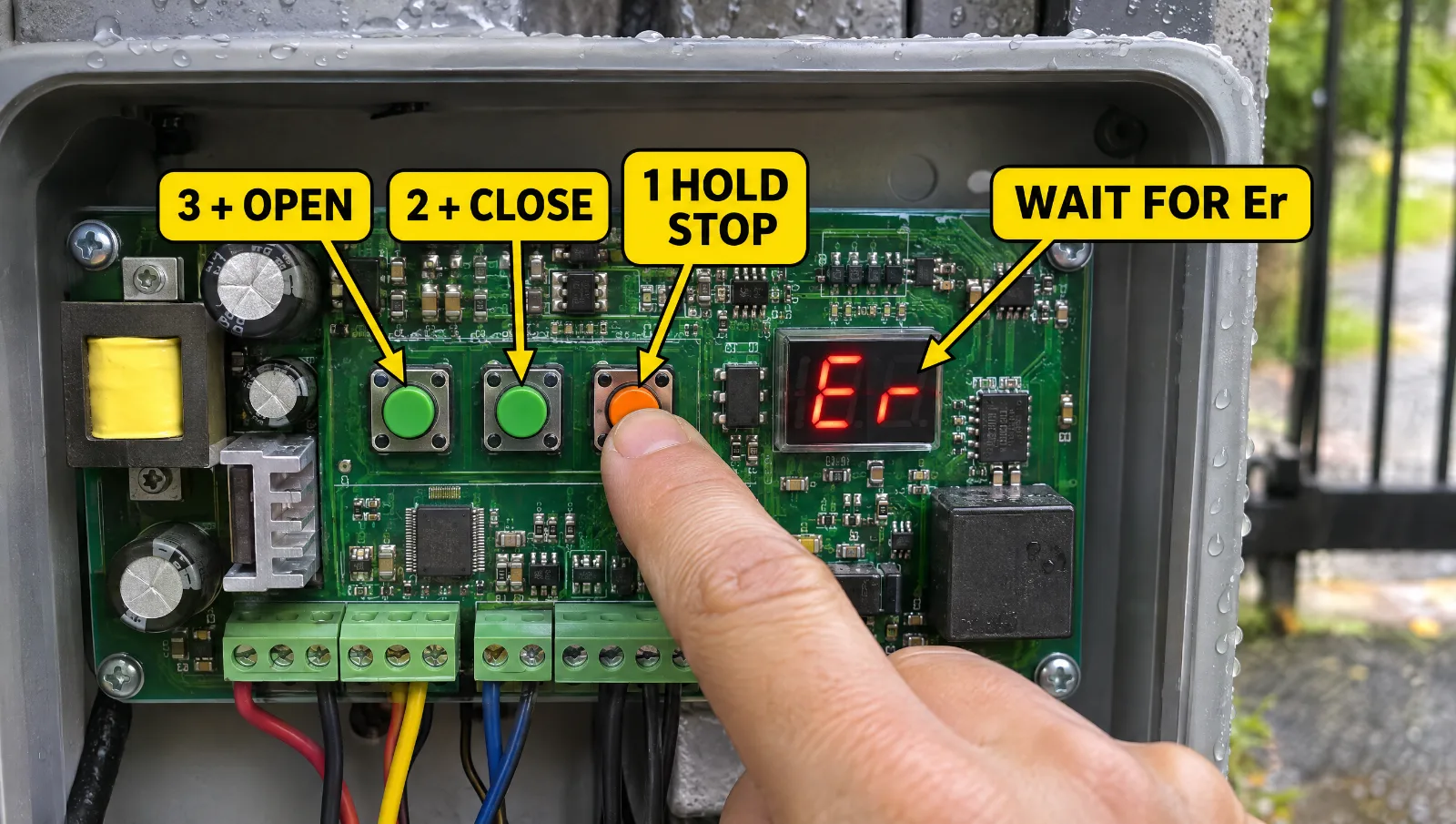
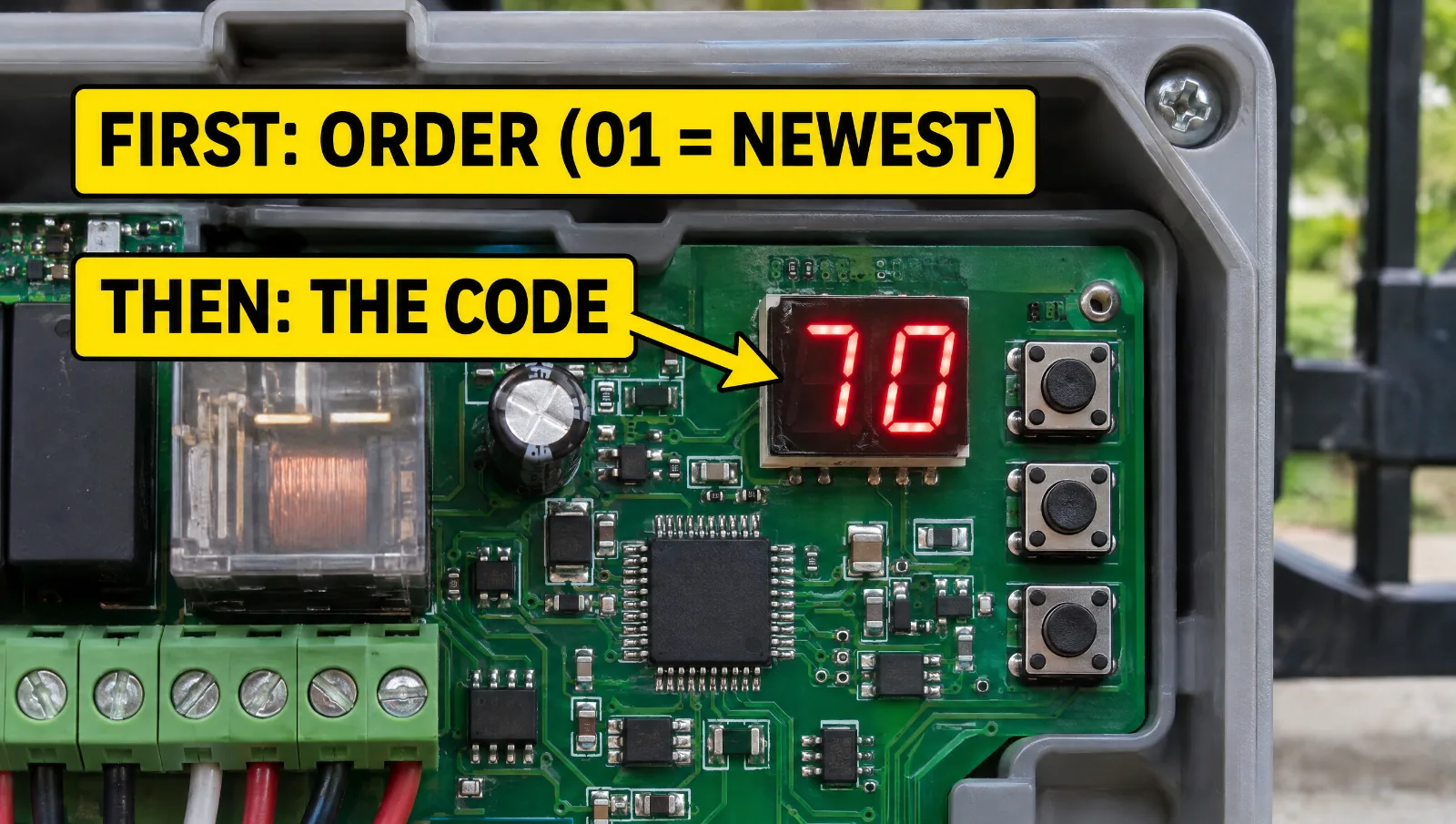
On a LiftMaster LA400, press and hold the STOP test button, then CLOSE, then OPEN on the control board until “Er” shows. The display then shows the order (01 is the newest) and the two-digit code. Codes in the 70s mean a safety sensor was triggered; 32 or 33 means an arm is disengaged. Write the codes down before you call; don’t clear the history.
How to show the codes
- Open the control box coverThe two-digit display and the OPEN, CLOSE and STOP test buttons are on the control board. Don’t touch any wires.
- Hold STOP, then CLOSE, then OPENPress and hold the orange STOP button, then press and hold CLOSE, then press and hold OPEN until “Er” shows.
- Read the order, then the codeFirst you see the order number (01 is the newest, up to 20), then a second later the code (31 to 99).
- Scroll through the historyPress OPEN to move toward the newest code and CLOSE toward the oldest. Write each one down.
- ExitPress and release STOP. The display also exits on its own after two minutes.
Common codes and what to do
| Code | Meaning | What to do |
|---|---|---|
| 31 | Control board internal failure | Call a technician; the board may need a reboot or replacement. |
| 32, 33 | Arm 1 or arm 2 disengaged | Release the arm, then re-engage it fully (see the manual release guide). If the code returns, the wiring needs a technician. |
| 35 | Maximum run time exceeded | Check for something blocking the gate. A technician resets the limits. |
| 38, 39 | Hard stop limit | Limits or mounting need adjusting. Call a technician. |
| 40, 41 | Battery overvoltage or overcurrent | Battery or harness problem. Call a technician. |
| 43 to 46 | Installed accessories, such as vehicle loops | Call a technician. |
| 60 to 68 | Safety device (photo eye or edge) faults | Never bypass the device. Call a technician. |
| 69 to 75 | A safety sensor or edge was triggered | If something was in the way, no action is needed. If not, clean and re-aim the photo eyes (see gate won’t close). |
| 80, 81 | Two gates aren’t communicating | Call a technician. |
Stop and call a technician if
- Any code in the 30s, 40s or 60s that comes back after you clear the gate
- The display is blank and the opener won’t run
- A safety device fault (60 to 68)
- The codes don’t match this table; your board may be a different model
Send us a photo of the code
Text a photo of the display and the opener label to (425) 900-6083. It helps our technician bring the right part on the first visit.
Questions gate owners ask
How do I check the error code on my LiftMaster gate opener?
On the LA400 control board, hold STOP, then CLOSE, then OPEN until “Er” shows. The display shows the order number and then the two-digit code.
What does code 70 mean on a LiftMaster gate opener?
The close photo eye or interrupt input was triggered. If something was in the way, no action is needed. If not, clean and re-aim the photo eyes and check for plants or glare.
What does code 32 mean on a LiftMaster gate opener?
Arm 1 is disengaged. Release the arm and re-engage it fully with the release lever and key. If the code returns, the wiring needs a technician.
Should I clear the error code history?
No. The history of up to 20 codes helps a technician find the cause faster. Leave it for them.
How much does it cost to diagnose a gate error code?
Our tech visit fee is $89, and you get an itemized quote before any repair.
Related gate guides
Still stuck? Talk to a gate tech.
Interactive Gates & Security repairs swing and slide gates of any brand in Washington, Oregon and Southern California. $89 tech visit fee, then an itemized quote before any repair.
WA (425) 900-6083 · OR & SW WA (971) 351-9750 · CA (657) 312-3376